
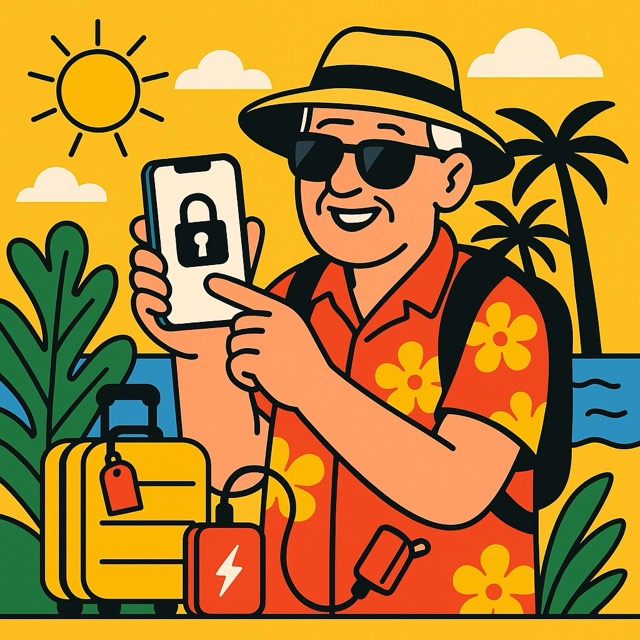
“Will My iPhone Work in Italy?”
That was the first question George asked me when he booked a long-dreamed-of trip to Florence. The second was: “What if I lose it?”
If you’re planning a summer getaway and bringing your iPhone along (as most of us do), these questions might sound familiar.
With just a little preparation, your iPhone can be your most helpful travel companion, from maps and tickets to photos and emergency help. Let’s walk through the essential steps to travel smart, safe, and connected!
⸻
Before You Leave: Prep Your iPhone Like a Passport
Just like you wouldn’t pack for a trip without your toothbrush, don’t travel without getting your iPhone ready.
✅ Update your iPhone:
Go to Settings > General > Software Update and install any updates before you go. They often include important security fixes.
✅ Enable Find My iPhone:
This is crucial if your phone is lost or stolen.
• Go to Settings > [your name] > Find My
• Make sure Find My iPhone is turned on
• Also turn on Send Last Location (it helps track your phone even if the battery dies)
✅ Add Emergency Contacts:
In the Health app, tap your profile > Medical ID > Edit, and add emergency contacts. These can be accessed even if your phone is locked.
✅ Back up your photos and data:
Use iCloud or your computer to make a full backup in case you lose or damage your phone.
⸻
Avoid Roaming Charges: Know Your Cellular Options
International roaming can be expensive if you’re not careful. Here’s what to do:
Option 1: Use Your Carrier’s Travel Plan
Check if your mobile provider offers an affordable international plan. Many do (like “Travel Pass” or “Data Passport”) and charge a flat daily rate.
Option 2: Use eSIM or Local SIM Cards
Modern iPhones support eSIM, which lets you add a data plan from a local carrier without removing your regular SIM. Great for longer trips!
Option 3: Go Wi-Fi Only
You can turn off cellular data entirely and use Wi-Fi only. Just remember to download what you need before you leave (more on that next).
⸻
Download These Essentials Before You Go
Internet might not always be available. Download key info while you’re still home:
• Offline Maps: In Google Maps, search your destination, tap the name, then tap Download
• Travel Apps: Airline apps, hotel bookings, rail passes, etc.
• Language Tools: Download language packs in Google Translate
• Entertainment: Download books, movies, music and podcasts for flights or long waits
Pro Tip:
If you’re using Apple Wallet, store boarding passes and train tickets before you lose signal at the airport!
⸻
Keep Your iPhone Charged & Protected
When traveling, your phone becomes your everything—camera, guidebook, and boarding pass. Don’t let it die on you.
Bring:
• A portable charger (power bank)
• A travel adapter for foreign outlets
• A charging cable that works with your iPhone (check USB-C vs Lightning)
• A sturdy case to protect against drops
• An AirTag or tracking sticker for your phone, purse, or suitcase
⸻
Stay Cyber-Safe While Abroad
Public Wi-Fi at hotels or cafes can be risky. But there are ways to stay safe:
• Use a VPN if possible (apps like ProtonVPN or NordVPN make this easy)
• Avoid logging into sensitive accounts on public networks
• Use Safari’s Private Browsing Mode for less tracking
• Don’t click on pop-ups or unfamiliar links asking for payment
And always be extra cautious of scams—especially messages that seem urgent or “official.”
⸻
Use Your iPhone to Stay Oriented and Connected
Here are just a few ways your iPhone can make travel easier:
• Translate signs or menus using the Camera in the Translate app
• Send your location to a travel buddy using Messages
• Use Maps (Apple or Google) for walking directions (including bus and subway routes in many cities)
• Pay with Apple Pay when available—often more secure than credit cards
⸻
Let’s go back to George!
He followed this checklist to the letter. He used an eSIM in Italy for easy data access, downloaded his plane and train tickets into Apple Wallet, and learned just enough Italian using the Translate app to order gelato with confidence.
But one day, at the Uffizi Gallery, he left his iPhone on a bench.
Thanks to “Find My iPhone,” he realized it 10 minutes later, opened his wife’s iPhone, and saw exactly where it was. A helpful staff member had already turned it in to the front desk. Crisis averted!
George later told me: “That one setting saved my whole trip.”
⸻
Three Things to Take Away
1. Preparation is everything. A few settings changed now can save hours of panic later.
2. Your iPhone can be your best travel partner—from maps to memories to safety.
3. You don’t have to be tech-savvy to travel smart. Just a little guidance goes a long way.
⸻
Want More Travel-Friendly iPhone Tips?
If you found this helpful, you’ll find dozens of simple, confidence-building tips in my book:
“Learning iPhone for Absolute Beginners – 2025 Edition”
Whether you’re heading to the beach, the mountains, or a faraway city, your iPhone can keep you connected, safe, and ready to explore—without stress or confusion.
Happy travels—and remember: your tech should work for you.