Introduction & Before We Begin
A slide is a beginning. Your iPhone, your pace.
You cannot ruin your iPhone by exploring. Not by opening a menu, not by checking a setting. Think of this as a calm walking tour with an experienced friend — one tap at a time.
You are about to learn a friendly, practical way to use your iPhone. If it has ever looked confusing, you are in the right place. We go one tap at a time. We name what you see on screen. We explain why it matters. No rushing. No pop quizzes. No guilt.
You can explore safely
Most important: you cannot ruin your iPhone by exploring. Not by opening a menu. Not by checking a setting. Not by looking around. Learning iPhone is like practicing in an empty parking lot before real traffic. You have space. You have time. Every try helps.
Who this book is for
This book is for thoughtful beginners. It is also for everyday users who want steady, organised guidance. If you are new to iPhone, welcome. If you have used iPhone for years and want a clearer map, welcome too. The goal is simple: confidence with each tap, swipe, and press — and a clear sense of what matters for everyday life.
What this book promises
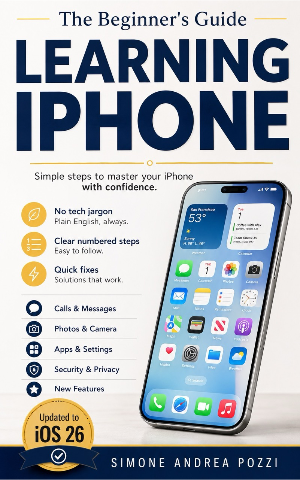
This is not a thick manual that lists every possible feature. It is a conversation. You will get:
- Clear, numbered steps, like a recipe you can follow
- Screens that look like your iPhone on iOS 26
- Everyday examples — sharing a photo with a family member, saving an appointment
- Short definitions the moment a new word appears
You will not get long lists of features you will never use, jargon without a simple definition, or a rushed pace that leaves you behind.
Most of all, you will discover that anyone can learn this. If you have ever thought "I'm not good with gadgets," you can set that down now. No one is born knowing how to tap, swipe, or press and hold. These are learned skills, the same way you once learned to tie your shoes.
A note from the author
I began writing technology guides because people I love were stuck. They were curious and thoughtful, and they just wanted someone to explain things in a way that made sense. Over the years I learned a simple truth: nobody is born knowing how to use an iPhone. These are not instincts. They are small skills you learn in order, and they add up.
Picture a kitchen table, and us sitting side by side. You will be shown what to expect, told what it means, and helped past the steps that do not really matter to you yet. You've got this. I'm right here with you.
Before we begin
There is a small motion that changed how we use computers. Not a click. Not a key. Just a gentle slide. The first time the iPhone said slide to unlock, it taught us something simple: glass could listen. Your thumb could start the day.
Before that, many devices were covered in buttons and menus. Some even asked for a stylus that never stayed where you left it. Then 2007 arrived with a glass rectangle that wanted to be held, not managed. Your finger became the pointer. No translation layer. No extra tool. The iPhone kept saying: trust your hands.
Respect, built in
The story behind the iPhone is also a story about respect. Respect for your attention. Respect for privacy. Respect for your hands and eyes. When the phone wants to use your location or your photos, it asks. When you prefer larger text or stronger contrast, it can adjust. And when your touch is not perfectly steady, it can wait for a firmer touch. Good manners are easy to miss, because they fade into the background.
Small courtesies add up. They make long days feel shorter.
If you're new, you're not behind
Some readers worry about learning a new device. I understand. New things can feel like closed doors. That's why I keep coming back to the slide. It's a small invitation to start. You don't have to memorize a manual. You don't have to be quick. You only have to rest your thumb, move a little, and let the phone meet you.
You already know the basic moves. If you can open a book, you can open this screen. If you can turn a volume knob, you can adjust a setting. If you can leaf through a photo album, you can browse your pictures. We'll practice together. The habit will form. Your thumb will learn the first centimetre. The rest will follow.
Keep your phone in your palm for a moment. Let the screen sleep. Then wake it, and slide. You are not learning a gadget. You are starting a conversation.
Updates for iOS 26
Small labels move and buttons change shape with each iOS update. Find the latest notes and bonus tips at yourtechmadeeasy.com/bookupdates
Setting up a new iPhone? Grab our free one-page checklist — every step in order, from backing up your old phone to the final safety settings.
Get the free checklist
Learning iPhone for Beginners and Everyday Users — iOS 26
The full guide covers setup, the Home Screen, calling and messaging, photos, Safari, Apple Pay, security, and more — all in the same calm, one-tap-at-a-time style.
Get the full guideAvailable on Amazon Kindle, Apple Books & Google Play