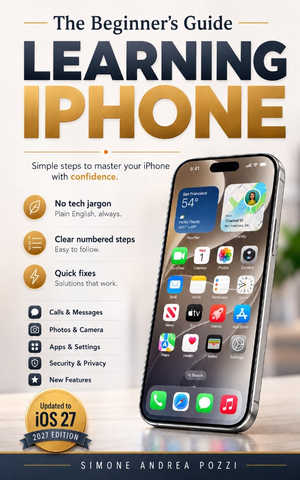
Introduction & Chapter 1
A calm walking tour, one tap at a time.
Your iPhone can do a great many things. This book is about the part that matters: using it comfortably, every day, without stress.
If it has ever felt overwhelming, you’re in the right place. Think of this book as a calm walking tour with an experienced friend. We’ll go one tap at a time. We’ll name what you see on screen. We’ll explain why it matters. No rushing. No pop quizzes. No guilt.
You can explore safely
Here’s the most important thing: you cannot ruin your iPhone by exploring. Not by opening a menu. Not by checking a setting. Not by looking around.
Nearly everything you can do by accident can be undone. Learning iPhone is like practicing in an empty parking lot before real traffic. You have space. You have time. Every try teaches you something.
Who this book is for
This book is for thoughtful beginners. It’s also for everyday users who want steady, organized guidance.
If you’re new to iPhone, welcome. If you’ve used one for years and want a clearer map, welcome too.
The goal is simple: confidence with each tap, swipe, and press, and a clear sense of what actually matters in everyday life.
What this book promises
This is not a thick manual that lists every possible feature. It’s closer to a conversation with someone who has answered these questions many times before.
You will get:
- Clear, numbered steps you can follow like a recipe
- Screens and labels that match iOS 27, so what you read is what you see
- Everyday examples, like sharing a photo with family or saving an appointment
- Short definitions the moment a new word shows up
- An honest note whenever a feature depends on your country or your iPhone model
You will not get long lists of features you’ll never use, jargon without a simple definition, or a rushed pace that leaves you behind.
Most of all, you’ll discover that anyone can learn this. If you’ve ever thought “I’m not good with gadgets,” you can let that go now. Nobody is born knowing how to tap, swipe, or press and hold. These are learned skills, just like tying your shoes.
You can do this.
Chapter 1 — Getting started: unboxing and setup
Find a calm, well-lit place. A table is best, so nothing rolls away.
Quick prep:
- Use a flat surface (desk or dining table).
- Make sure the lighting is good.
- If you wear glasses, grab them now. Setup screens have a habit of asking their smallest questions in their smallest type.
What’s in the box
You’ll usually find:
- Your iPhone
- Charging cable (USB-C to USB-C on current models)
- SIM ejector tool (a small metal pin)
- Paperwork (quick start guide and warranty info)
Keep the box
It is worth keeping the box because:
- It protects the phone during shipping or repair.
- The labels include details like the serial number.
- If you pass the phone on later, the box is a nice extra.
Put the box and papers somewhere you can find them again, not in the drawer where spare cables go to be forgotten.
Updates for iOS 27
Small labels move and buttons change shape during the year. Find the latest notes and bonus tips at yourtechmadeeasy.com/updates
Setting up a new iPhone? Grab our free one-page checklist — every step in order, from backing up your old phone to the final safety settings.
Get the free checklist
Learning iPhone for Beginners and Everyday Users — iOS 27
The full guide continues from here: SIM or eSIM, first power-on, the Home Screen, calls, photos, Wallet, safety, and the rest of everyday iPhone use — numbered steps, in plain English.
Get the full guideAvailable on Amazon Kindle