Introduction & Before We Begin
The Mac that meets you where you are
This is not a tech manual. It's a clear, friendly guide that helps you use your Mac to write, connect, explore, and enjoy — wherever you're starting from.
Maybe this is your first Mac. Maybe it's your first computer in a while. Or maybe you're switching because you want something simpler and more comfortable to live with day to day. Wherever you're starting, you're in the right place.
I've spent years helping people learn Macs, iPhones, and iPads. Some were brand-new users. Some were students. Some were busy professionals. Many arrived nervous, worried they might "ruin something." They didn't. They learned. And so will you.
Why a new Mac can feel intimidating
A new computer can feel like a lot at first. The screen is beautiful, the desktop is unfamiliar, and the icons don't explain themselves. Think of it like walking into a kitchen you've never cooked in before. Everything works. You just don't know where things are yet.
The good news: you don't need to memorize everything. You need a few clear starting points, taken step by step. If you can use a TV remote, drive a car, or make a cup of tea, you already know how learning works. Small, steady steps. Repetition. Confidence.
A story worth sharing
I once worked with Enrico, a first-time computer user who wanted to write his life story. He tried a typewriter, but every mistake meant starting a whole page over. He was ready to give up.
We sat down with a Mac. I showed him how writing on a computer works: fixing a typo in one moment, moving a sentence without retyping a page, reshaping a draft without starting from zero. Weeks later, he handed me a printed chapter. It wasn't just words on paper. It was relief and momentum. That's what learning a computer can give you: space for your voice, your connections, and your projects.
What a Mac can do for you
A Mac can help you with everyday life:
- Writing letters, notes, and documents
- Browsing the web without feeling overwhelmed
- Staying in touch by email and video calls
- Organizing and editing photos
- Watching shows, movies, and listening to music
- Supporting hobbies — recipes, classes, puzzles, light games
- Working smoothly with your iPhone or iPad: sharing photos, notes, and copy/paste
You don't need to be "tech-savvy." You just need a bit of curiosity and a guide you can trust.
"I'm not a tech person"
A lot of people say this. But you've learned plenty of things that felt unfamiliar at first. Driving. Using a microwave. Sending your first text. You didn't need a special "tech gene." You needed clear steps, in a sensible order. That's the approach here.
What this book offers
You'll get:
- Short, clear steps in plain English
- Friendly explanations of terms, with everyday analogies
- Helpful visuals so you can recognize what you see
- Calm encouragement, without pressure
We'll cover everything from getting started to browsing safely online, from email basics to keeping passwords secure. You'll learn the skills that make a Mac feel like yours.
The real goal is confidence. Over time, "What's that button?" turns into "I've got this."
How to use this book
There's no single right way. You can read from page one and build steadily, or jump to the chapter you need today. Keep your Mac nearby and try the steps as you read. Pause when you like. Come back later. New terms are explained as they appear and in the Glossary.
Updates for macOS 26
Technology changes, and Apple can adjust menus and buttons in macOS 26. This book is kept fresh with online updates — you'll find them at yourtechmadeeasy.com/bookupdates
Before we begin
It began with a greeting. In 1984, a Macintosh looked up and said "hello." Not a code, not a warning — just a word that belongs to people. That hello told the whole story: this was a computer that wanted to meet you where you are, to invite you in without raising your shoulders or your heart rate.
What I love about the Mac is the way it believes you. It believes you are curious, that you can learn, that your time is precious. It believes that calm is a feature. The team that shaped it did not only count chips; they also cared how letters sit on a screen, how a sound feels in your ear, and how a click can be steady and soft.
That care is still here: you can see it in the smiling Finder icon that promises your files are findable; you can feel it in the single menu at the very top, always in the same place. You can also watch it in the Dock — a neat little shelf where your favourite tools wait patiently. The whole experience keeps saying, "it's safe to explore."
Is a Mac a good fit for your life?
If your day with a computer looks like writing a note, answering email, browsing a recipe, watching a show, looking through photos you love, or joining a call to see a face that matters — a Mac can feel like a tidy kitchen where every drawer opens cleanly. You will not wrestle with it. You will not feel scolded. It will try to do its work quietly while you do yours.
If you already use an iPhone or iPad, there is a gentle feeling of togetherness. Messages follow you without asking. Photos show up as if they remembered you.
A calmer way to begin
If you feel nervous, let the feeling sit beside you. It is not weakness. It is the hum of beginning. You already know more than you think. If you have ever labelled a folder and put papers in it, you understand Finder. If you have ever kept your favourite pan on the front of the counter, you understand the Dock.
The Mac rewards simple, human instincts. Click, look, breathe. Nothing breaks. The computer waits. You cannot disappoint it.
In 1984, a Macintosh said "hello" to the world. Today I am saying it to you.
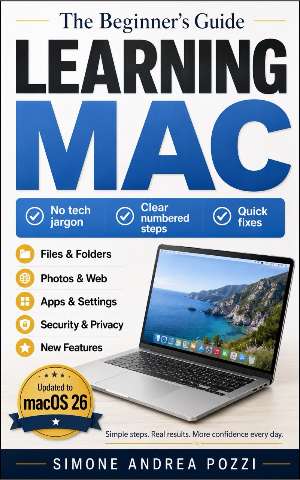
Learning Mac for Beginners and Everyday Users
The full guide continues with step-by-step setup, the Desktop explained, Safari, Mail, iCloud, keeping things secure, and much more — all in the same clear, unhurried voice.
Get the full guideAvailable on Amazon Kindle, Apple Books & Google Play