Security
How to stop scam emails (and what to do when they get through)
Every day, billions of scam emails are sent. Most are caught by spam filters — but some get through. And the ones that get through are getting harder to recognise, because AI tools now help fraudsters write polished, convincing messages in any language.
Here's what you can actually do about it.
Why scam emails keep arriving
Your email address is in circulation. This happens through data breaches (when a website you use gets hacked), through companies selling email lists, or simply through automated systems that guess common address patterns.
There is no way to completely stop scam emails from being sent to you. But there are practical ways to reduce how many reach your inbox — and to handle the ones that do.
What actually helps (and what doesn't)
What helps:
- Mark messages as spam/junk. Every time you do this, your email provider learns. Over time, its filter gets better at catching similar messages before they reach you. Don't just delete — mark as spam.
- Use a strong, unique email provider. Gmail, Outlook, and Apple Mail all have sophisticated spam filters. If you use an older or less common email service, switching can make a noticeable difference.
- Use Hide My Email (Apple). If you have an Apple account, you can create random, throwaway email addresses when signing up for websites. Junk goes to those addresses, not your real one. Find it in Settings → your name → iCloud → Hide My Email.
- Unsubscribe from legitimate mailing lists. Fewer newsletters means a quieter inbox and it's easier to spot something unusual.
What doesn't help much:
- Replying to ask them to stop — this confirms your address is active and often results in more email.
- Blocking individual sender addresses — scammers use different addresses each time.
- Trying to "report" to a scammer's email provider — this is rarely effective.
How to tell a scam email from a real one
Modern scam emails can look convincing, but there are still reliable tells:
- Check the actual sender address. The name might say "Apple Support" but hover over it (or tap it on a phone) and the actual address might be something like
support@apple-helpdesk99.com. Legitimate companies use their own domain. - Look for urgency. "Your account will be suspended in 24 hours." "Immediate action required." Real companies don't communicate this way.
- Don't trust the logo. Anyone can copy a logo. The sender address and the link destination are what matter.
- Hover over links before clicking. On a computer, hover your mouse over any link and look at the address shown in the bottom-left corner of your browser. If it doesn't match the company's real website, don't click it.
If you've already clicked a link in a scam email
- Don't enter any information on the page that opened.
- Close the tab immediately.
- If you entered a password, change it on that account now — and on any other account where you use the same password.
- If financial details were involved, call your bank straight away using the number on the back of your card.
- Run a security check on your device if you downloaded anything (on iPhone or Mac, Apple's built-in security handles most threats automatically).
One click on a link alone is usually not enough to cause harm — the danger comes from entering information or downloading files. If you only clicked and then closed the page, you're likely fine, but change the relevant password to be safe.
Want the full guide?
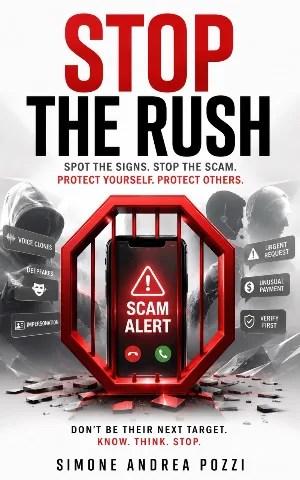
Stop the Rush
Confidently recognise, pause, verify, and respond safely to scams across calls, texts, emails, and social media — using simple, repeatable habits.
Available on Amazon Kindle
Related reading