IPHONE
Best iPhone for Seniors: Everyday, Larger-Screen and Budget Picks
By Simone Andrea Pozzi · Updated
Start with iPhone 17 for everyday calls, messages and family photos. Consider iPhone 17e if spending less is the priority. For a larger display without the weight of a Pro Max, try iPhone Air. If you want the largest conventional screen, compare iPhone 18 Pro Max in person before buying: its weight is a meaningful tradeoff.
These are starting points for different needs. The best choice is the phone the person can read, hold and afford comfortably. Set up larger text on their existing phone first; a new model may not be necessary.
| Model | Why consider it? | Who should skip it? |
|---|---|---|
| iPhone 17 | Everyday pick: 6.3-inch display, 177 g, two rear cameras | Choose 17e if the local saving matters more than the extra camera and display features |
| iPhone 17e | Budget starting point: 6.1-inch display, 169 g | Skip if you need a larger screen or an Ultra Wide camera |
| iPhone Air | Larger and lighter: 6.5-inch display, 165 g | Skip if you want multiple rear lenses; compare the price with 17 |
| iPhone 18 Pro Max | 6.9-inch display and Pro cameras; 249 g | Skip if the size, price or weight makes it uncomfortable |
Specifications checked 23 October 2026: Apple iPhone 17, iPhone 17e, iPhone Air, iPhone 18 Pro and Pro Max. Recommendations are our editorial judgment based on those specifications and the needs described here. Check local stock, carrier compatibility and the full purchase price before ordering.
Try readability and grip before choosing
Ask to try the phone with text enlarged. A bigger display gives the text more room, but the settings still matter. Hold it as if taking a call, reach across the keyboard, and check whether it fits the pocket or bag it will live in. Include the weight and grip of a case.
If the person already knows a Home-button iPhone, explain that these choices use Face ID and a swipe to return Home. Practice that gesture together. Paying for a Pro does not remove the learning step.
Does a senior need an iPhone Pro?
Age is not the reason to buy a Pro. A specific camera need can be: for example, taking photos of distant subjects. The iPhone 18 Pro offers Pro cameras in a smaller body than Pro Max, but at 211 g it is still heavier than iPhone 17. For ordinary messages and calls, start with the less costly choices and compare what you would actually gain.
What about an older or refurbished iPhone?
Compare the final price with a new iPhone 17e. A refurbished offer can be sensible when the saving is substantial and the seller provides clear battery-condition information, a warranty and a return policy. Check storage, carrier compatibility and the current iOS compatibility list for the exact model. Apple does not promise a fixed number of future major iOS updates for every iPhone.
For a used phone, make sure the seller removes Activation Lock before you pay. Do not buy a device that still requires someone else’s Apple Account to activate it. See Apple’s checklist for buying a preowned iPhone.
Make the chosen phone comfortable from day one
- Simplify the Home Screen and reduce unnecessary alerts, keeping the person’s familiar apps within reach.
- Adjust text, contrast and audio one change at a time, with an easy way back.
- Practice a call, a message and a photo together, then let the person repeat each task.
For a wider model comparison, use the Which iPhone? quick picks and Finder; both are open without an email address. The same page asks for an email to open its extended chapters. For the broader learning path, read iPhone for Seniors.
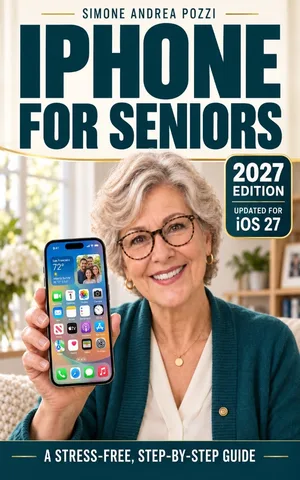
Want the full guide?
iPhone for Seniors — iOS 27
Use an iPhone running iOS 27 for everyday tasks — with simple steps, a slower pace, and clear guidance. Stay in touch, and learn how to spot common scams.
Available on Amazon Kindle
Related reading