iPhone · iOS 27
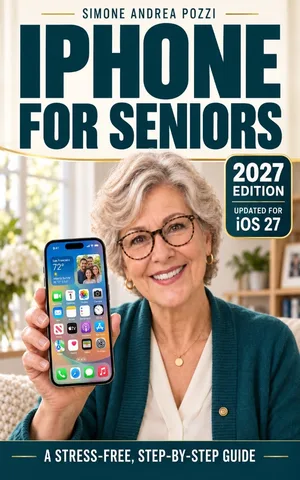
iPhone for Seniors — iOS 27
iPhone for Seniors — Stress-Free, Step-by-Step iOS 27 Essentials
Use an iPhone running iOS 27 for everyday tasks — with simple steps, a slower pace, and clear guidance. Stay in touch, and learn how to spot common scams.
A slower-paced guide for people learning an iPhone running iOS 27, including readers returning after an update. Follow everyday tasks and build safer habits while staying in touch.
Choose where to read · See the book topics
Preview before choosing
No on-site book sample is published for this edition yet. Use the Kindle listing below to check preview options for your marketplace.
For a free iOS 27 walkthrough now, practice a call, a message and a photo. This is a website tutorial, not an extract from the book.
Choose the edition for your phone
This page is the iOS 27 edition. Check Settings → General → About → iOS Version on your iPhone. If it shows iOS 26, view the iOS 26 edition instead. The two books remain separate, with different software coverage.
What the book covers
- Getting oriented and setting up an iPhone on iOS 27.
- Everyday calls, messages, photos and staying connected.
- Larger text, clearer display settings and easier navigation.
- Scam awareness, privacy, app permissions and safer habits.
- Using the Quick Finder approach to locate help for a specific problem.
For detailed contents and a look at the reading style, check the Kindle listing and its available preview options.
Who it is written for
Older adults and other beginners who want a patient route through everyday iPhone use, and family members helping them learn. Start with one familiar task and repeat it at your own pace.
Reading format and author
The linked edition is listed as an Amazon Kindle ebook. Check the store page for its current local price, device/app reading options and any additional formats offered. Apple Books and Google Play links are unavailable for this edition.
About Simone Andrea Pozzi and YOUR TECH MADE EASY. For a free starting point, use the iPhone learning overview, the simpler-setup checklist or the accessibility walkthrough. Those tutorials state their own software version.
Page revised .
Choose where to read
Check the preview on the book’s store page before choosing your edition.

Common questions